This post offers a comprehensive guide to the AliExpress Dropshipping Chrome Extension, fully compatible with the AliNext (formerly Ali2Woo) dropshipping plugin. When used together, these tools streamline product import, order fulfillment, and other routine tasks — helping you automate your dropshipping business more effectively and save valuable time in daily operations.
Important Update (2022–2025): The Google Chrome Extension team has increased review times for new releases. To ensure you always have the latest features and bug fixes, we’ve introduced a manual update method. Please update your Chrome Extension regularly to maintain stability and full functionality.
Let’s get started with our Dropshipping Chrome Extension!
- How to install the alinext chrome extension?
- Connect your store to the alinext extension?
- Switching between connected stores
- How to find products with your preferred shipping option on aliexpress?
- How to import any product from aliexpress?
- How to import products in bulk from AliExpress?
- How to properly update the alinext chrome extension?
TIP: Unlike most dropshipping solutions, AliNext lets you sync AliExpress products without relying on a Chrome Extension. This means that once your store is filled, you can safely turn off your computer and relax — product syncing and inventory management continue automatically in the background.
1. How to Install the AliNext Chrome Extension?
Follow these simple steps to install the AliNext (formerly Ali2Woo) Chrome Extension and start using it for AliExpress dropshipping:
- Launch Google Chrome
The extension works only on the Google Chrome browser and must be installed on a computer. It will not function on tablets or mobile devices.
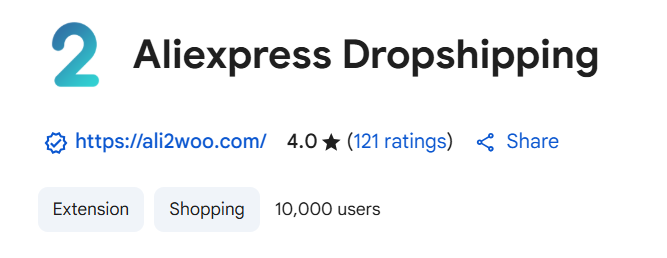
- Open the Chrome Web Store
Search for AliNext Chrome Extension in the Chrome Web Store, or go directly via this link: AliNext (Ali2Woo) Chrome Extension Web Store page.
- Add the Extension to Chrome
Click the “Add to Chrome” button to install the extension.
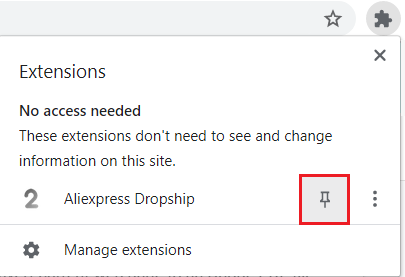
- Pin the Extension for Easy Access
After installation, make the extension visible by pinning it to your browser toolbar. This ensures quick access whenever you need it.
- Done — Start Dropshipping!
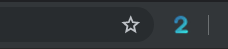
You’ll now see the AliNext extension badge on your Chrome toolbar. Congratulations — you’re ready to automate AliExpress product imports and streamline your dropshipping business.
2. Connect Your Store to AliNext Extension
Follow these steps:
- Right‑click the AliNext extension badge in Chrome.
- Choose Options from the menu.
- On the Options page, enter your website details and save.

- Copy‑paste your API Key from the Ali2Woo plugin:
- Go to AliNext plugin settings > API Keys
- Click Add Key
- Copy the generated API Key link to your clipboard

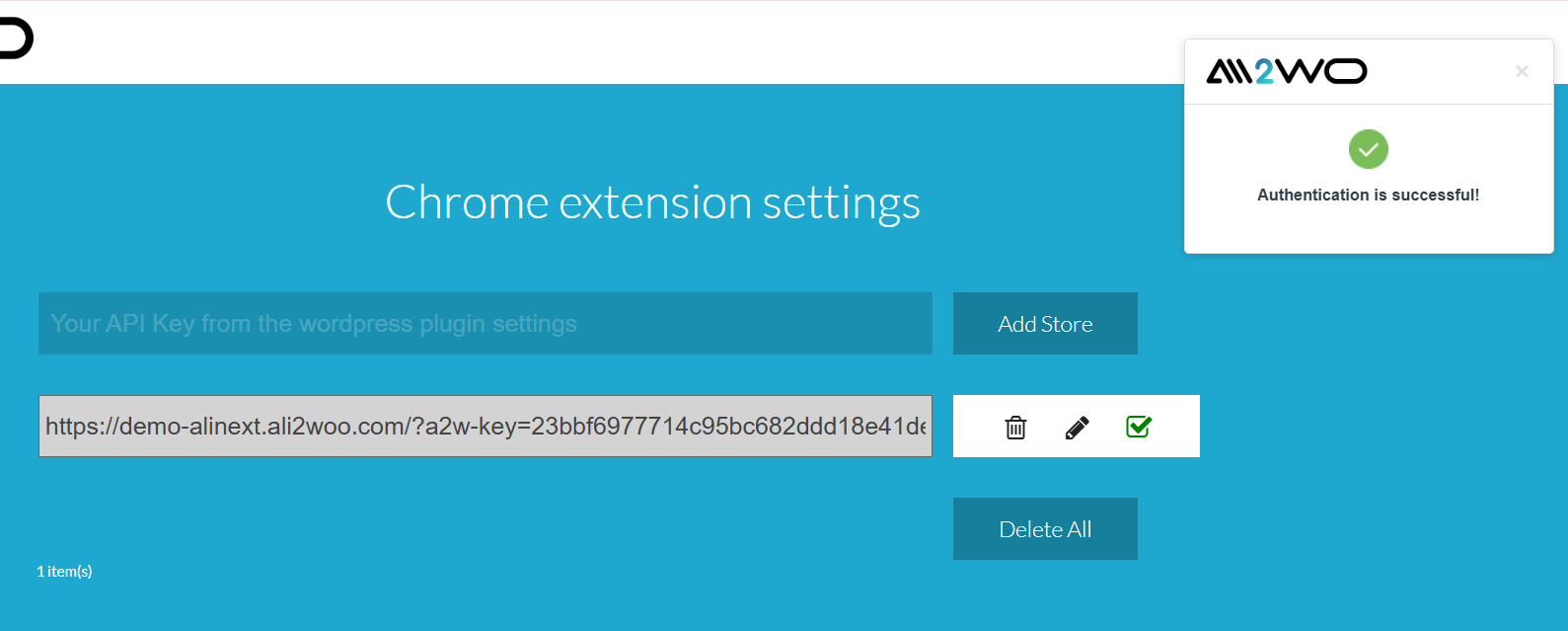
- Paste the API Key into the extension settings and save.


- Press Add Store — a new row will appear.
- Tick the checkbox next to your store to make it active.
- Chrome will ask you to allow the extension to access your website — approve this request.
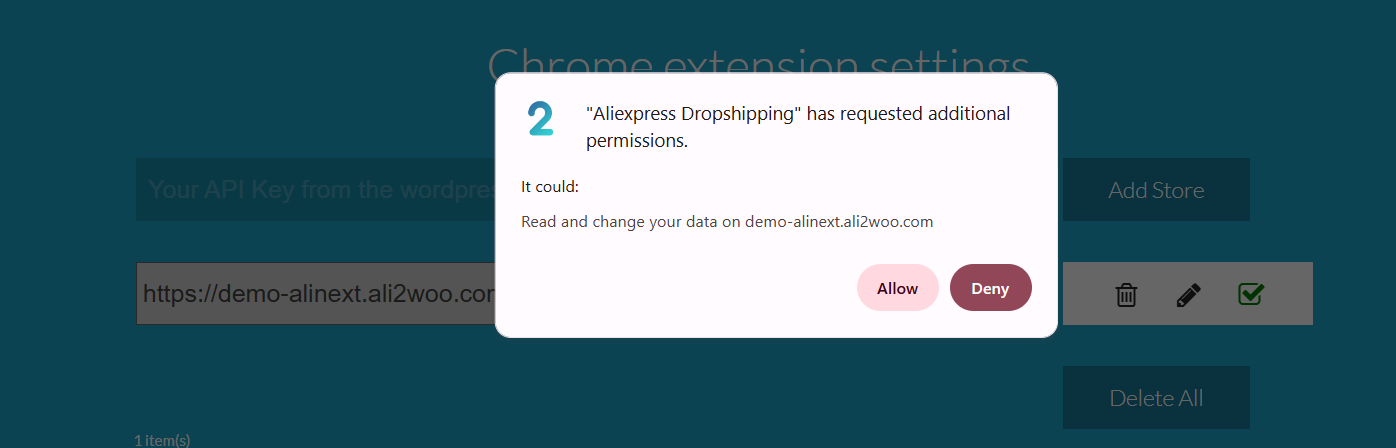
- The AliNext extension will run a test connection to your store.
- If successful, your store is connected.
- If the test fails, please contact our support center for assistance.
3. Switching Between Connected Stores
If you have multiple stores connected to the extension, you can easily choose which one to work with. Only one store can be active at a time.
To switch your active store:
- Go to the list of connected stores in the extension.
- Find the store you want to activate.
- Tick the checkbox next to that store’s row.
Once selected, the extension will automatically set this store as your active store, and all actions will apply to it.

4. How to Find Products with Your Preferred Shipping Option on AliExpress?
Our extension makes it simple to filter products by specific shipping methods. This helps you highlight items that match your delivery preferences.
Popular Shipping Options in 2025-2026
- AliExpress Standard Shipping – Fast, reliable, and one of the most widely used methods. Certified service with full tracking, rarely delayed.
- AliExpress Saver Shipping – Affordable option with tracking included. Generally arrives sooner than the estimated delivery date.
- AliExpress Premium Shipping – Delivery via private couriers (DHL, FedEx, EMS, etc.) for an additional fee. Best for urgent or high‑value orders.
- AliExpress Selection Standard – Priority shipping for products in the AliExpress Choice/Selection program. Faster handling, stable delivery times (usually 7–15 days), and full tracking. Often free or subsidized by AliExpress, making it one of the most popular options in 2025.
- Other methods – Depending on the seller and destination, additional shipping services may be available.
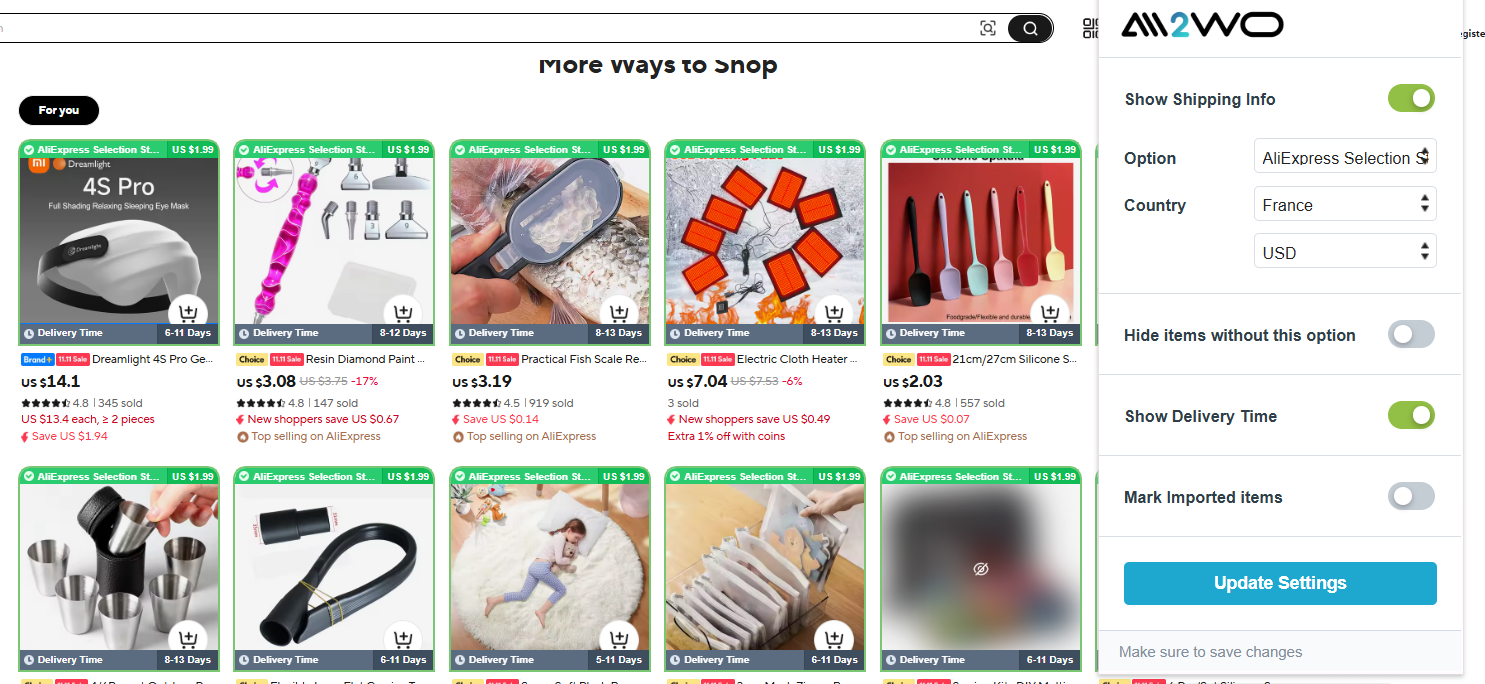
Using the Extension Popup
To highlight products with your desired shipping option:
- Click the extension badge with the left mouse button.
- The popup window will appear.
- From here, you can configure the following options:
- Default shipping method – Choose which shipping option to highlight.
- Default shipping country – Set the destination country to check availability.
- Currency – Select the currency to use for price calculations.
When Product Highlighting Is Not Available
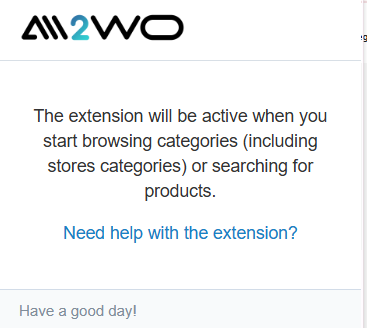
If, after clicking the extension badge with the left mouse button, you see a popup message saying:
“The extension will be active when you start browsing categories (including store categories) or searching for products.”
…it means that product highlighting is not available on the current page.
Highlighting works only on:
- Product category pages
- Store category pages on AliExpress
5. How to Import Any Product from AliExpress?
You can easily import any product from AliExpress directly into your store using our dropshipping extension. The process takes only a few seconds.
To import a product:
- Locate the product you want to add.
- Click the Import button.
- The product will be transferred into your store automatically.
Where the Import Button Appears
The Import button is available across multiple areas of the AliExpress portal:
- Category pages
- Store category pages
- Individual product detail pages
- Choice and Deals sections
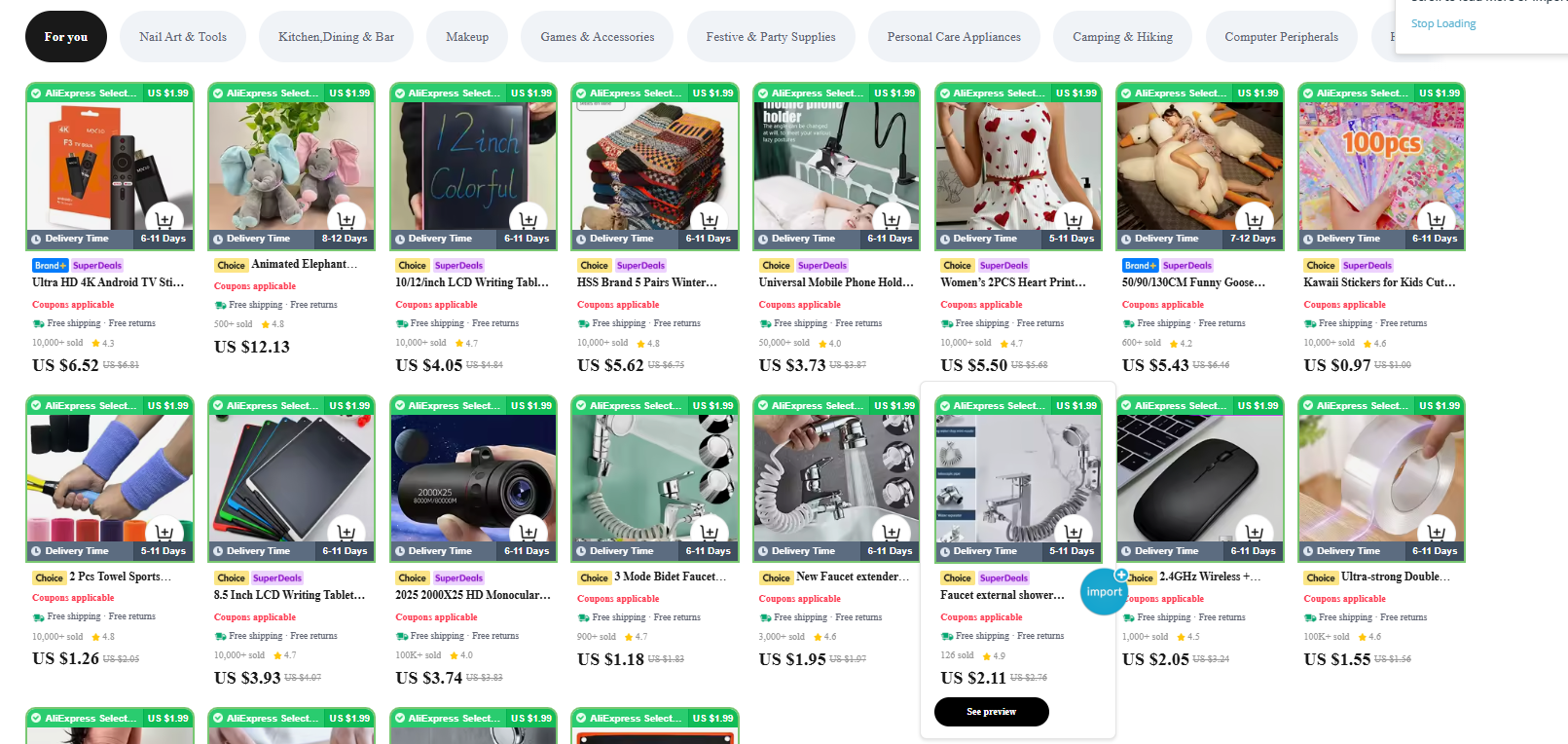
As soon as you click the Import button next to a product, the Chrome extension attempts to load it into the active store you previously configured. Once the process is complete, a success window will appear. If the import is successful, the product will be added to the Import List in the AliNext plugin.

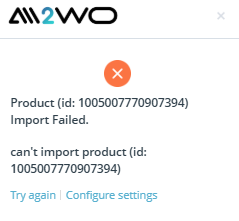
For some products, you may see a message indicating that the extension could not import them. In this case, please try importing the product again. If the error persists, it is most likely due to the region selected in your AliNext plugin not supporting that product.
You can change the region in the plugin settings or contact our support team for assistance.
Important: Region switching is not available in the free version of the AliNext plugin. Choose your plan for the full plugin here.
6. How to Import Products in Bulk from AliExpress?
Sometimes you may need to import products in bulk. With the AliNext Chrome extension, you can import all products from a category page or a store category page.
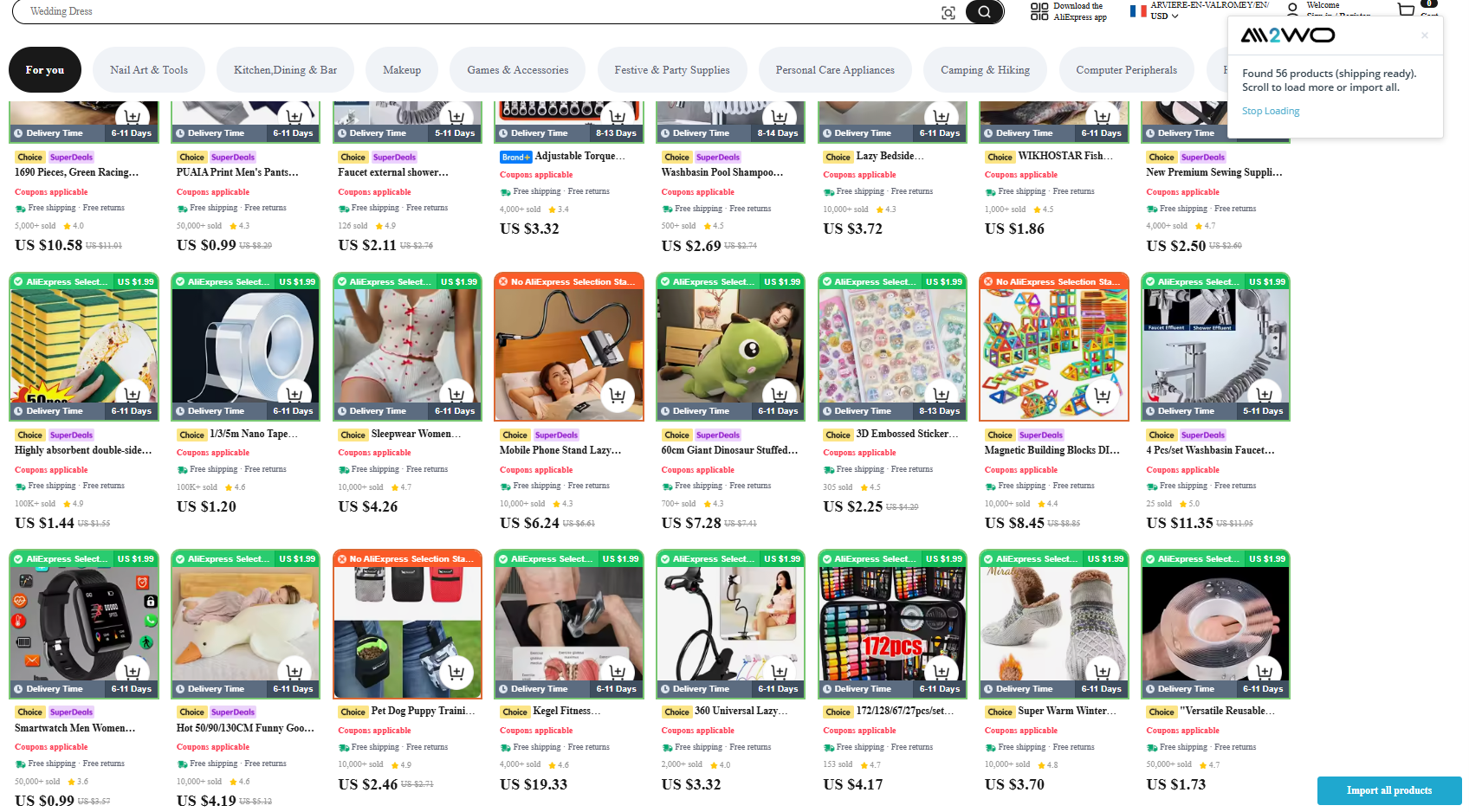
You will find the Import all products button on these pages.
How Bulk Import Works
- The extension will import all products currently visible on the page.
- Some AliExpress pages use infinite scroll. In this case, scroll down to the very bottom of the page so that all products are fully loaded.
- Wait a few moments for the extension to process the newly displayed products.
- Once all items are visible, click the Import all products button to start the bulk import.
The AliNext extension will then import products one by one in bulk mode, and you will see the progress of the process displayed on screen.
Important: Bulk product import is not available in the free version of the AliNext plugin. Choose your plan for the full plugin here.
8. How to properly update the Ali2Woo chrome extension?
Remember: you have to update the extension to keep its working stable and do that in time. Periodically, the AliExpress team makes some changes on their portal and some extension`s functions require refining to continue working properly.
You have two ways to get the updated version:
- Automatic approach. Just visit the Ali2Woo chrome extension page, download and then install the latest version
- Manual method. In 2022 – 2025, the chrome extensions team increased time of reviewing process for the extensions updates. They announced that the reviewing process can take up to 30 days. It’s really slow especially if the AliExpress developers make any changes on their side spontaneously. So, to get the updates faster, we would recommend you to install our chrome extension manually.
Follow these steps to update the Ali2Woo extension manually:
- Download the chrome extension archive: aliexpress dropshipping extension and unzip it.


- Once you have your folder, go to chrome://extensions (or find it in your menu in more tools > extensions), then activate the developer mode on the top right of the page:

- Then to install the extension, you just have to indicate where is this folder on your computer:

Note: if you installed the AliNext chrome extension before, then first deactivate the old version and delete it. It will ensure that you don’t have two extensions installed and prevent it from unexpected behavior and errors.
Can I place orders from the chrome plugin I downloaded to my laptop, or just from my website? This has been a little confusing to me while setting up even following the directions. Please get back to me asap. Thank you Mickey
Hello,
1). You need to create a new API Key on the API keys page in the plugin settings.
2). Add a new store and insert that API key on the chrome extension settings.
3). Now you can place orders, we describe the process here: https://help.ali2woo.com/codex/processing-orders/
good
I was able to do some product imports to my website, but the “import” button is gone, what should I do to make it appear on the Aliexpress website?
You have to install the latest chrome extension version.
If the issue will persist, please contact our support center.
This extension no longer imports the order ID, even after clicking “Bulk Sync” in the pro version. I have been waiting for 5 months for this to be fixed. Is there anything you can do? Customers need order updates ASAP!
Thank you for your comment. Please send it to our support center. Our specialist will answer you there. Support center link: https://support.ali2woo.com
hello, I buy this plugin but the product review was not imported. please help
Hello, we checked that feature on our demo portal and it worked fine.
Please send the request to our support center.
I am not sure where to find the API in Ali Express. I do not see that they have that feature. Can you please help me?
Hello, in this article we describe the order fulfillment process using our free chrome extension.
If you want to place order using AlliExpress API, we have a separate article on this topic: https://help.ali2woo.com/codex/fulfill-orders-using-aliexpress-api/
Hello, I have an error message when ali2woo has to enter the address alone, can you help me? “Some error occurs. Contact support…”
Thank you for your comment. Please send it to our support center. Our specialist will answer you there. Support center link: https://support.ali2woo.com
I have issues on some products that I want to import. Some products work and some not, a freelancer added the same products and it worked for him. Need help ASAP
Hello,
Thank you for your comment. Please send it to our support center. Our specialist will answer you there. Support center link: https://support.ali2woo.com
Hi there. How to make sure tracking ID is definitely embedded in code for Affiliate version of plugin? I am using Aliexpress portals, not admitad or EPN.
I inserted Tracking ID in Account settings but Cant find APP and secret key in my affiliates account. Will the tracking still work correctly??
Hello, no, you should add your APP and SECRET Key. Please check the manual on official AliExpress portal: https://developers.aliexpress.com/en/doc.htm?docId=118195&docType=1
How do I add an additional site to this extension?
The import button on AliExpress.US doesn’t work, and I will like to add it to the allowed list.
We’ve fixed that issue today, please update the chrome extension using the manual method
What is This? This account is not a drop shipper, can’t use this api.
please check this article: https://help.ali2woo.com/codex/how-to-get-access-token-from-aliexpress/
am getting an error message from the import. (build request error)
You have to update your plugin to the latest version.
Howdy, Just wondering, after purchase from store, the order doesn’t appear automaticaly in aliexpress awaiting payment list. The import process is going perfect, no issues, no I have small qty of orders, but I’m afraid of the mess when it will go for a 100+ per day.
You can use the order fulfillment feature using AliExpress API. It works faster and more secured than you do now with the chrome extension.
even i did download it with those steps still doesn’t work the import option from the extension and also the import from the plugin both of them are not working ?
If you’re using Ali2Woo plugin then it can be related with your aliexpress token. You have to update it: https://help.ali2woo.com/codex/how-to-get-access-token-from-aliexpress/ Anyway, I would recommend you to connect our support center: https://support.ali2woo.com
hi
I can import from aliexpress but I can’t order from the site, the aliexpress cart is empty?
you have to update the plugin to the latest version
This plugin is not working normal. And not working on Aliexpress.ru
Hello, we have jus tested it and it’s working fine with AlIExpress.ru, contact our support for further help: https://support.ali2woo.com
PHP error with wordpress 6.2 and Ali2woo php 7.2
everything was ok and i tried to add a second website.. and then nothing working anymore… tried to delete and reinstall… i also deleted all files with FTP and reinstall… same error
You have to install the latest version of the plugin.
Also minimum php version that is support is 7.4. You mentioned that you’re using php 7.2, it’s unsafed anymore.
I follow all the process but still not working
Please contact our support center: https://support.ali2woo.com
Hey. I can’t import any product after successfully authenticating and linking my store. I don’t know if it’s because I’m still using the windows 8 chrome browser?
Hello, could you please contact our support center: https://support.ali2woo.com
Hey i am using yith tracking for a long time is there any way that i can upload the tracking information to yith or any-other tracking providers
Hello, could you give more details on what you want to get in result? Please contact our support center for further communication.
I’ve been waiting for a long time to connect to the API key and it hasn’t connected
Please contact our support center: https://support.ali2woo.com
Hello,
I am trying to connect ali2woo to my store but I cannot find the API keys.
Hello, check plugin settings > API Keys. There you can generate a new API key and then input it on the chrome extension settings page.
The program does not work for me
Please provide more details what doesn’t work exactly. Contact our support center, we will help you.