When you begin importing or synchronizing products, shipping methods, product reviews, and other data, you may encounter the following token messages:
- AliExpress access token is not found
- AliExpress access token has expired
To resolve this, you need to obtain a new access token from AliExpress. Once retrieved, save it in the AliNext (formerly Ali2Woo) dropshipping plugin. After saving, the token will be automatically renewed for your convenience.
Please follow the instructions below to complete this process.
Time needed: 1 minute
How to Get AliExpress Access Token in AliNext Dropshipping Plugin?
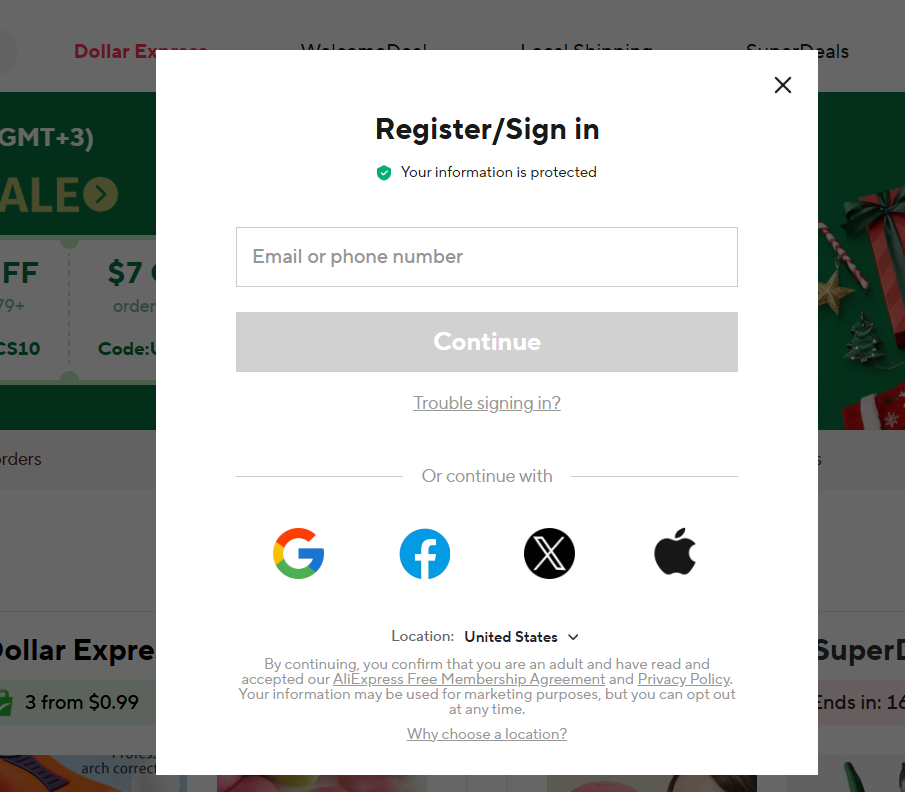
- Log in to your AliExpress account
Use your own account — the same one you normally place orders with.
- Open AliNext settings
In WordPress, go to AliNext > Account Settings and click Get Access Token.

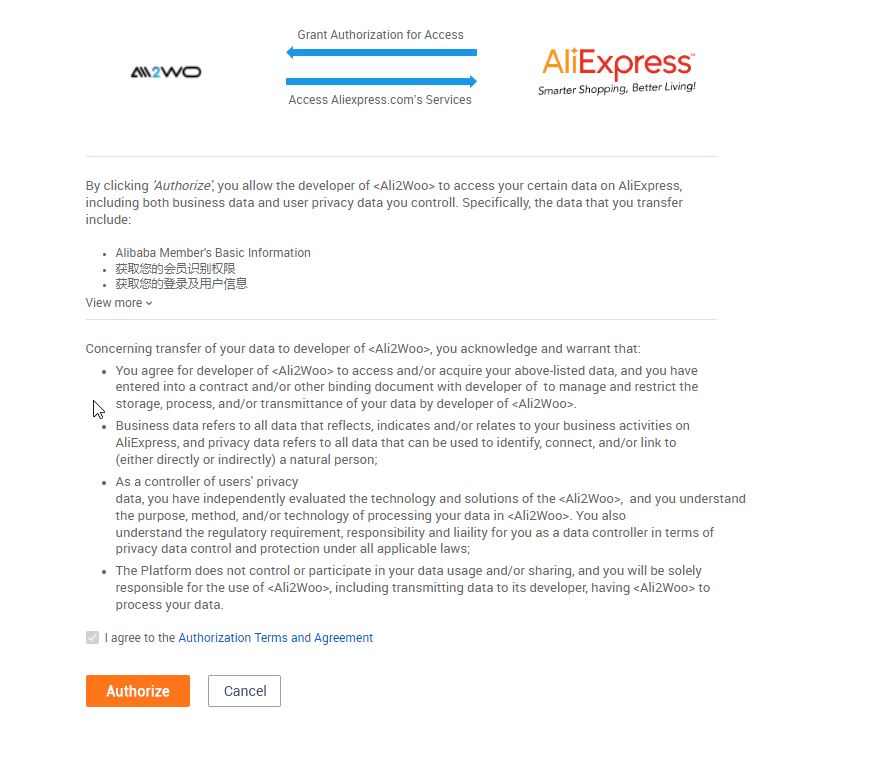
- Authorize access
A popup window will appear asking you to confirm AliNext’s use of the AliExpress API. Click Authorize.
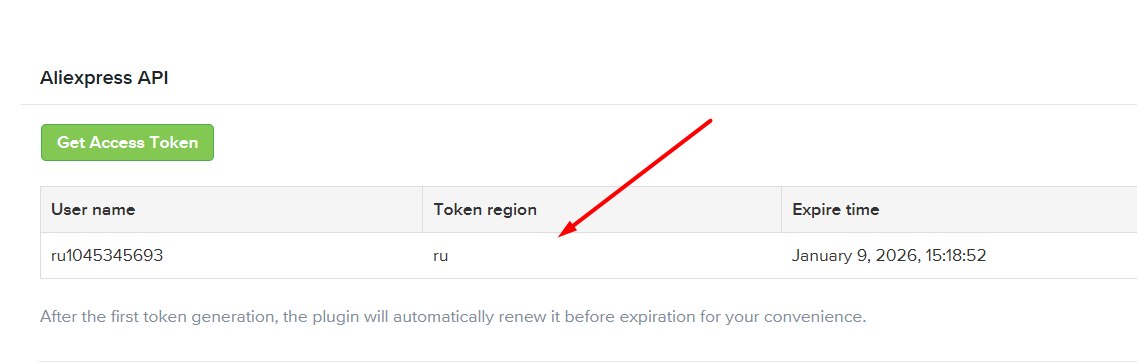
- Check the token
After authorization, a new token key will appear in the table.
Tip: If the popup window is blocked by your browser, enable popups to continue.
While creating token i found this error
Fatal error: Uncaught Requests_Exception: cURL error 28: Connection timed out after 10000 milliseconds in ….
Hello, it should be fixed now.
Merci ca marche très bien
In the wordPress plugin – ali2woo-Account settings – Aliexpress API – click get actess token, there is no response, no token key appears
Try to clean your browser cookies and try again.
I followed all the steps, but it still doesn’t work.
I generated the Aliexpress API but it always gives the same error:
“Placing orders from 0/1…
Please install and link to your website the Ali2Woo google chrome extension to use this feature.”
and everything is installed, all the same as this link of yours.
What is the solution?
You click on the button to place order using the chrome extension, instead you have to click on another button (place order with API).
Please check the article: https://help.ali2woo.com/codex/fulfill-orders-using-aliexpress-api/
Hola no he logrado comunicarme con soporte es una locura esto no he logrado pasar de esto “AliExpress access token is not found. Please check our instruction” ya probe en varios navegadores, en modo incognito, ya borré cookies y nada que paso solo me sale una ventana que dice alibaba y de ahi no pasa nada más, por consiguiente, el complemento está roto no sirve, no me funciona me gustaría me hagan un reembolso es sumamente complicado contactar con el soporte del autor de este complemento.
It seems that Aliexpress has temporarily blocked your API token. Our research suggests that this can happen when you are actively syncing or importing products. Usually, the token becomes unlocked within a few days.
We understand that you have already tried to refresh your token using the instructions from the article. However, you can attempt to generate a new token again in a few days. If Aliexpress unlocks your account, then you will be able to import products once again.
As an alternative solution, we offer AliNext, which doesn’t use the Aliexpress API for product imports or syncing. This means that you won’t encounter any token-related issues while using AliNext. Additionally, AliNext is fully compatible with Ali2Woo, making migration easy. If you’re interested in using AliNext, please check out this page: AliNext plugin
hi i cant get my token i did exactly what you ask me to do . its been 5 daays and stilll nothing .i deleted cockies ………and tried all methods but nothing
what error do you see?
Hallo, I am a bit confused of the first step to check if I have purchase code. Where are the settings on Ali express or WordPress?
Hello, the settings is in the plugin itself.
In the WordPress plugin – ali2woo-Account settings – Aliexpress API – click get actess token. I got an error message undefined while trying to get the access token. Please how to fix this??
Hello, It appears that Aliexpress has placed a temporary block on your API token. Based on our research, this occurs when you actively sync or import products. Typically, the token is unlocked within a few days.
You can try generating a new token later by following the instruction from this article.
As an alternative solution, we offer AliNext, which doesn’t use the Aliexpress API for product imports or syncing. This means that you won’t encounter any token-related issues while using AliNext. Additionally, AliNext is fully compatible with Ali2Woo, making migration easy.
If you’re interested in using AliNext, please check out this page: https://ali2woo.com/pricing/
Obtain token returning undefined every time.
Hello, it can be a cache issue. Try to use another browser or even another internet connection in order to make sure there is no cache issue.
Ive Added the plugin to a new website.
Deactivated from my old website
and I still cant use it
Product (id: 32728942161) Import Failed.
Auth error: Purchase key is already used on fetiwear.com. Reset it or purchase a new license. For further information about the license
What to do?
Please look at ticket #11621
You can reset your license here: https://help.ali2woo.com/codex/license-management/
Do I have to apply for AliExpress Api in order to use your plugin? Aliexpress says it is not needed if I use a third party program like yours.. Is that correct?
Yes, exactly, you don’t need to apply for AliExpress API.
when i add aliexpress access token and everything works fine.
but for limited expiry period.
is their any solution if it work for long period without expiry time monthly??
You can always generate a new access token in the plugin settings.
Ok, I will all instructions and I will let you know, from now give me 3day to redo it . Thank you for assistance,
Israel Baraka,
I9F Modern.
ok, sure
how ? also it’s happened with me , do i have to delete the old token key first ? because when im klick on get access token it’s open another page ( aliexpress open platform ) and when im applying my username and password i click on authorize but nothing it’s happen I’m still not getting the new access token key ! , can you please help
No, you shouldn’t remove the old token; instead, you can simply obtain a new one. If the AliExpress portal doesn’t provide a new token right away, try again after some time. Additionally, consider using a different browser or internet connection, as the issue may be related to internet cache or an API timeout on the AliExpress side.