Ali2Woo has a feature to fulfill and place orders automatically on AliExpress. You can place an individual order or several orders in bulk.
Please note: you need to have a valid AliExpress access token in the plugin settings before using both features.
How to place orders in bulk?
For example, you have two orders in your store which you want to place on AliExpress.

Just select both orders, choose the “Place on AliExpress” option from a Bulk Actions drop-down, and click apply.
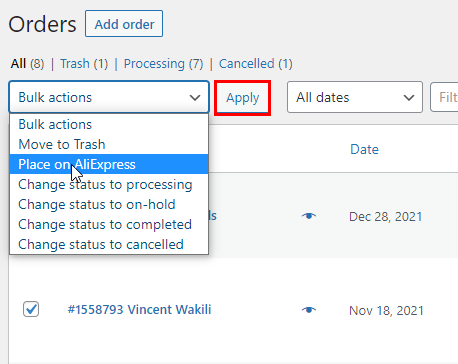
Now, you will see a place orders popup where you can watch for the order fulfillment process.

In the popup, you can see various messages. A text of the message depends on the current order fulfillment stage or error. Some errors can terminate the process, but others request your action.

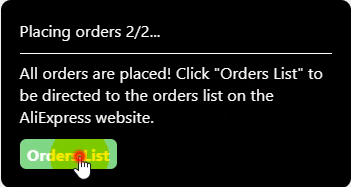
The next order consists of several products. Once the extension finishes with it, a final popup message will appear. Click the “Orders List” button, and it will bring you to the orders list page on the AliExpress portal.
Please note: by default, the plugin puts your orders on the list in pending status. It will allow you to pay for them in bulk.
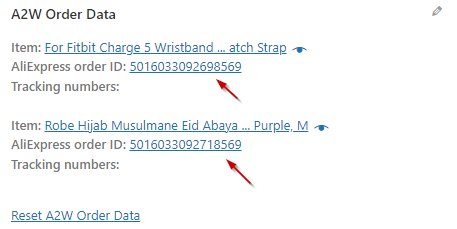
During order fulfillment, each order gets a unique id on AliExpress. Our plugin will save it in the order data in your store. Later, Ali2Woo will use that id to match your and external orders at the time of order sync.

If your order has two products, each item will get a different id from AliExpress.
How to place a specific order automatically on AliExpress?
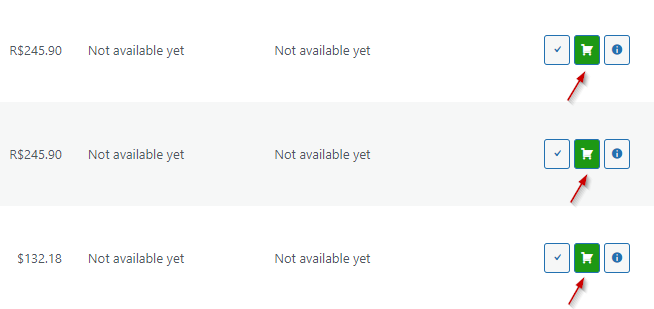
The process is almost the same. Just one difference – you need to click on the cart button near your order. It runs the order fulfillment process for the corresponding order.
Comments open