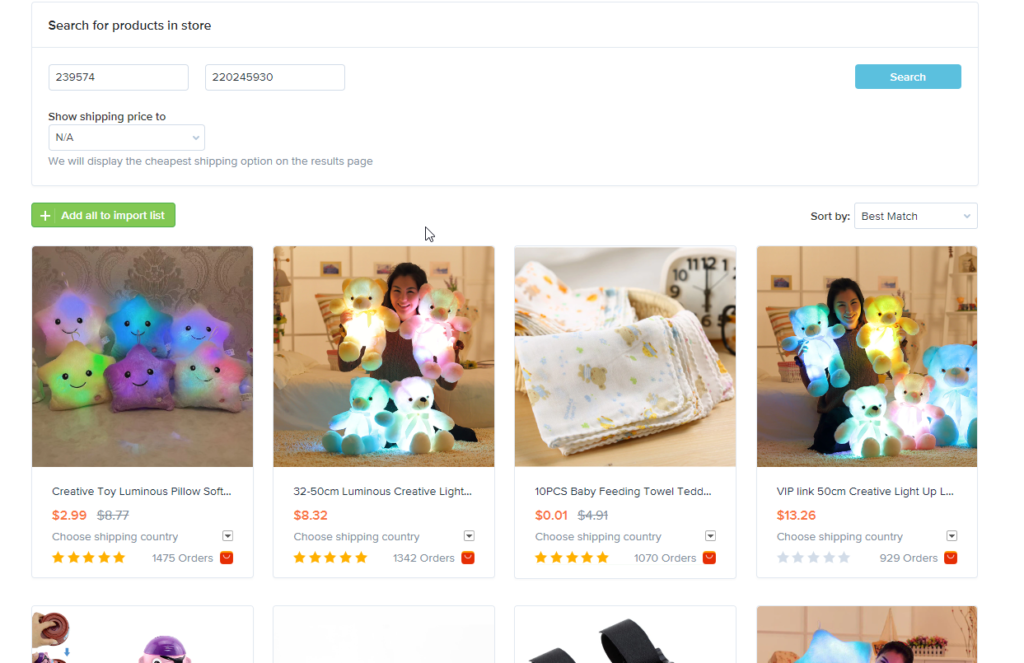
From plugin version 1.23.0 there is a new page in the plugin “Search In Store”.
As you can see to make a search for the store products, you have to input two parameters: “store id” and “seller id”.
Later we will make a new article to describe how to obtain store id and seller id, but today we will show you how to auto-populate those values.
For example, you have a product in your Import List (please note that product should be added there with new plugin version: 1.23.0 and fresher) and you want to import other products from the seller of that product.
You need to click on “Find All Product of Store” button and in the next moment you will see all products of the store.
As you can see you don’t need to fill store id and seller id in this case.
The option of obtaining seller ID and shop id through the imported product is no longer there on your latest update. Where is the article for obtaining those 2?


Whats the link to the article on how to get seller id and shop id?
In this article you can see that you can add at least one product from AliExpress and then easily find its store and seller ids.
The option of obtaining seller ID and shop id through the imported product is no longer there on your latest update. Where is the article for obtaining those 2?
Please send the request to our support center:
https://support.ali2woo.com
connect my website
Please contact our support center:
https://support.ali2woo.com